
Invoicing APIs
Create, retrieve, update, and cancel invoices from your website, app, ERP, marketplace, or internal system.
Explore Invoicing APIs →
Automate document creation, GST e-invoicing, inventory operations, and lead management from the systems your business already uses.
Create, retrieve, update, and cancel invoices from your website, app, ERP, marketplace, or internal system.
Explore Invoicing APIs →Generate an IRN and receive e-invoice details, a signed invoice, and a signed QR code for GST e-invoicing.
Explore E-Invoicing APIs →
Connect external systems with the business workflows managed inside Refrens.
Create and manage inventory items, find transactions, adjust stock, and transfer stock between warehouses.
Explore Inventory APIs →Create and update leads, connect clients and contacts, assign team members, and map pipelines and stages.
Explore Sales CRM APIs →Keep invoicing, GST e-invoicing, inventory, and lead data moving through supported workflows.
Explore the capabilities and supported workflows available across Refrens APIs.
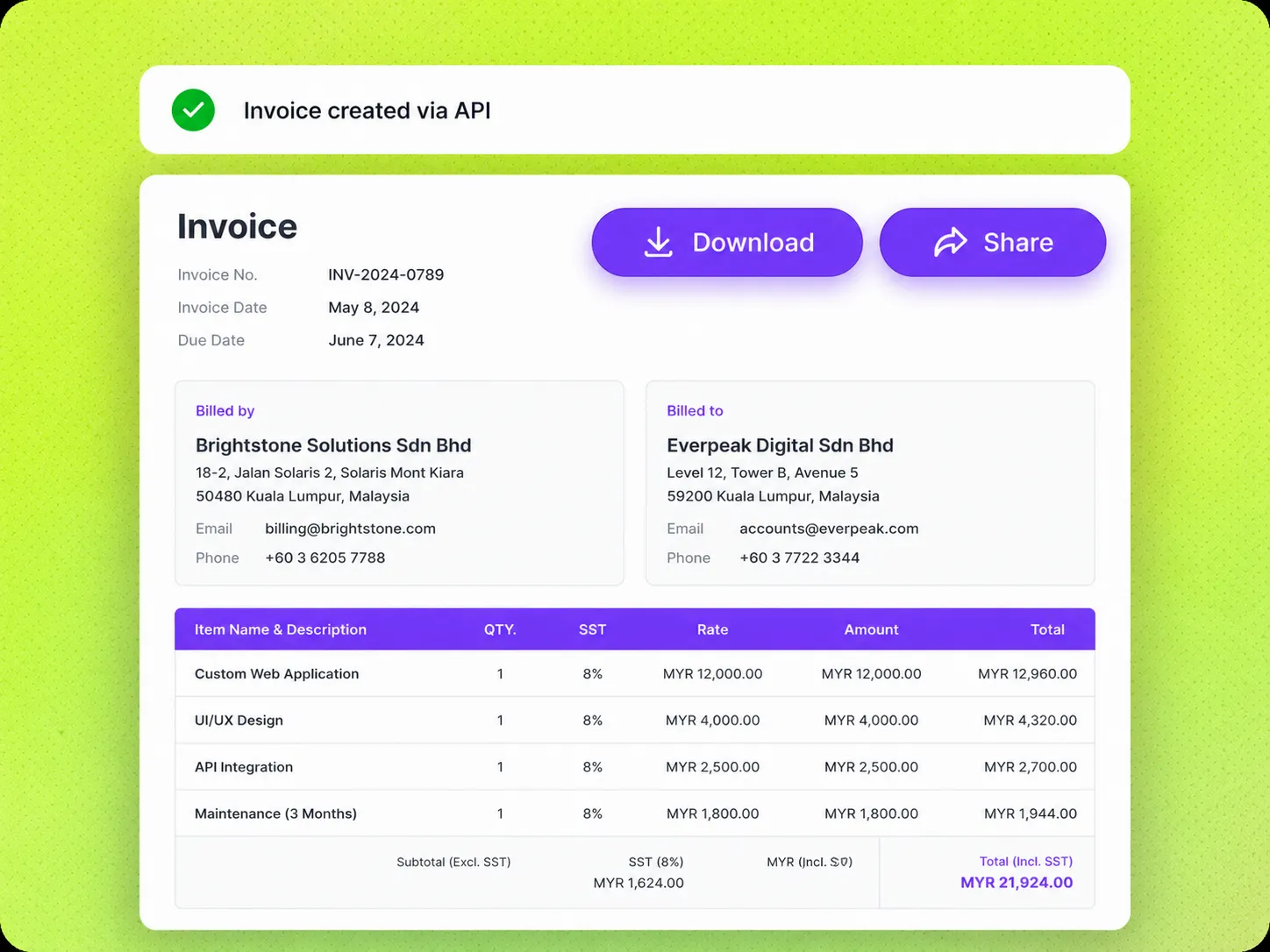
Create, retrieve, update, share, and cancel invoices from your website, application, ERP, marketplace, or internal system.
Create invoices with supported invoice, contact, item, tax, currency, due date, and payment details.
Use the invoice view link and PDF link returned with the invoice response.
Send invoices to customers through the supported email workflow.
Add invoice payments with the amount, date, payment method, reference ID, and notes.
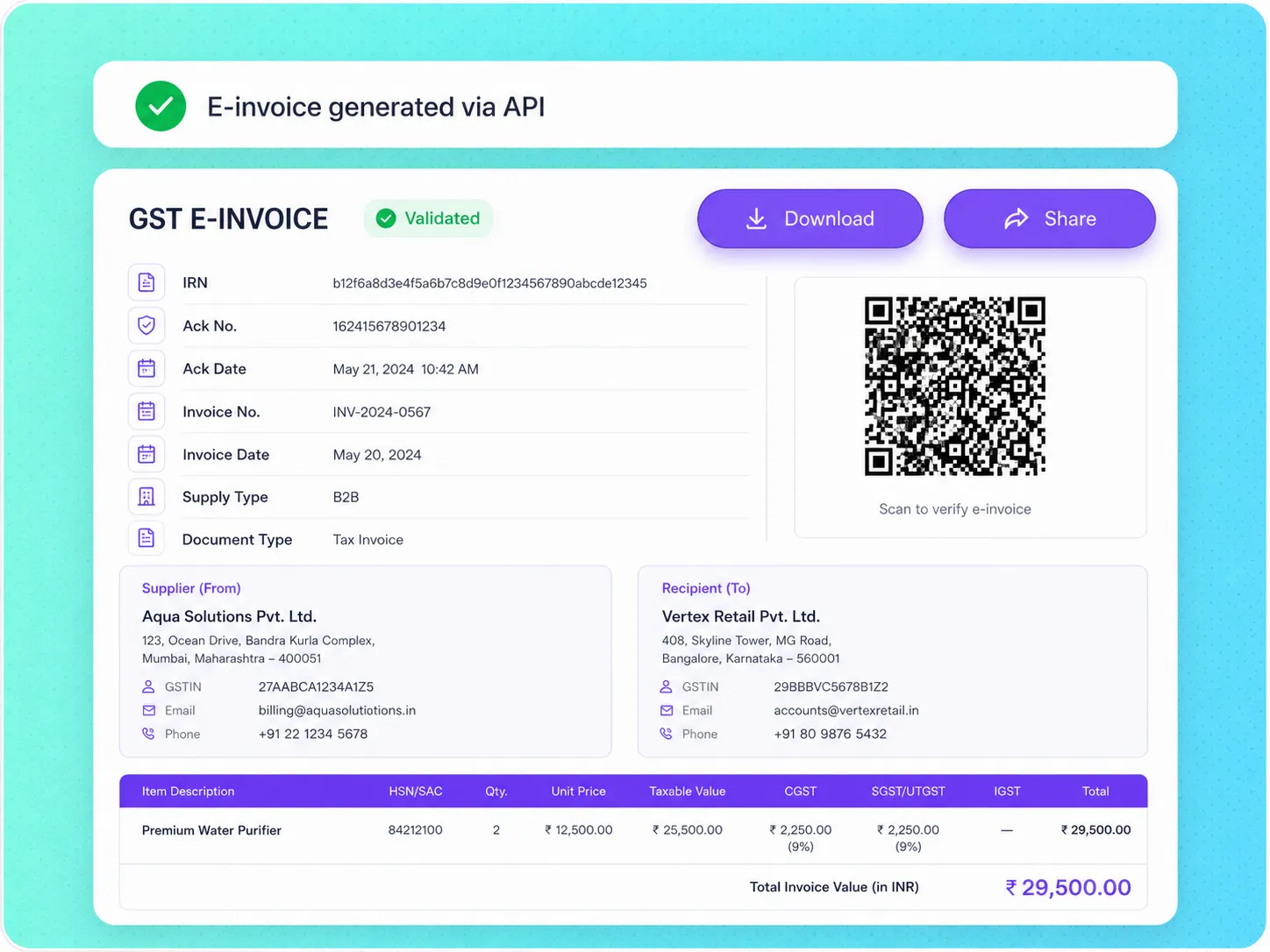
Generate an Invoice Reference Number for an existing Refrens invoice and retrieve the related e-invoice response.
Generate an e-invoice for an invoice already created in Refrens.
Generate the Invoice Reference Number through the supported API request.
Receive the signed invoice returned after successful e-invoice generation.
Receive the signed QR code returned with the e-invoice details.
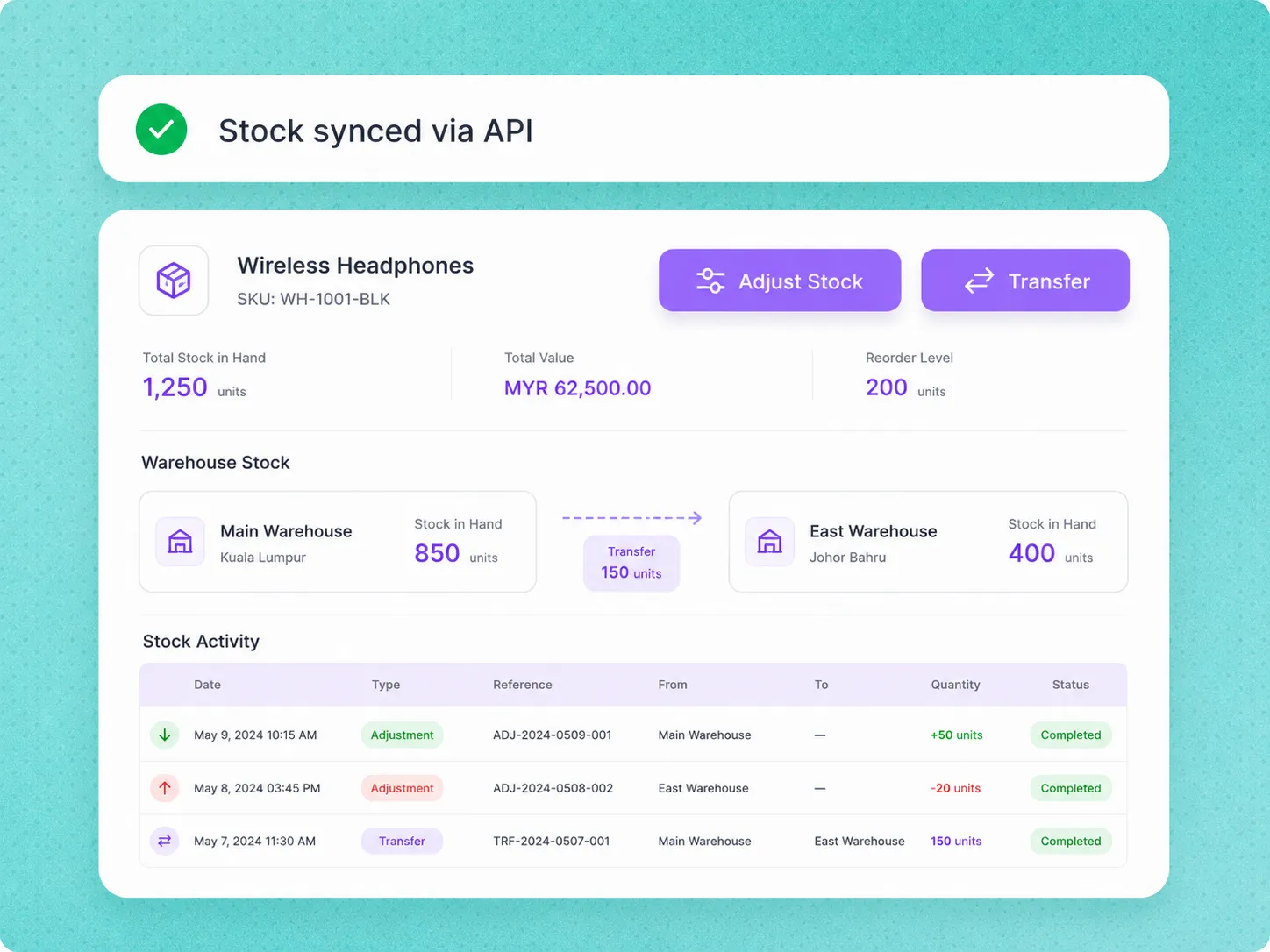
Create and manage inventory items, find inventory transactions, adjust stock, and transfer stock between warehouses.
Create, find, and update inventory items through the supported APIs.
Find transactions using supported filters such as SKU, date, document type, warehouse, client, and transaction type.
Manually increase or decrease stock through the supported stock adjustment workflow.
Transfer stock between warehouses and record the movement in Refrens.
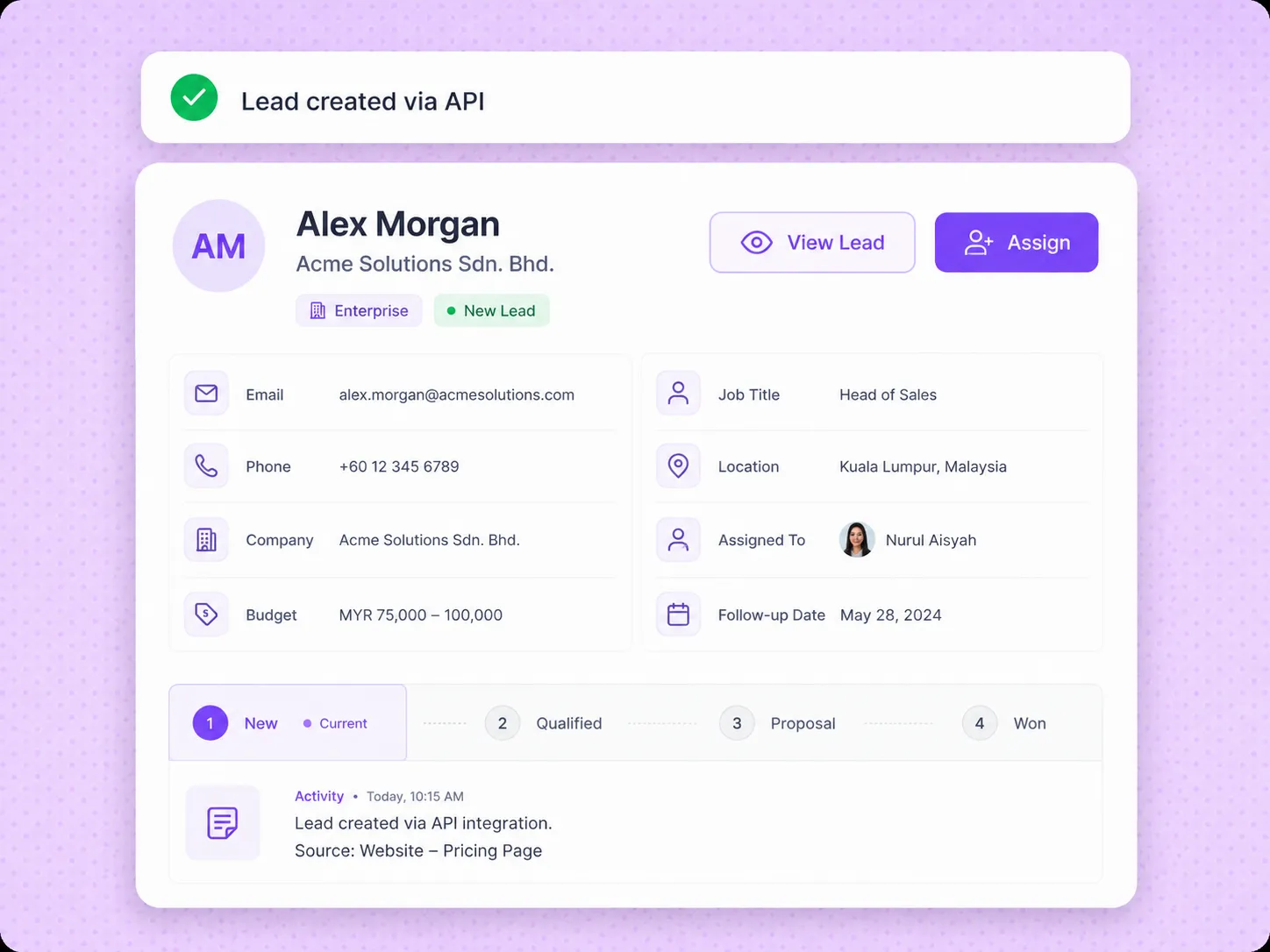
Create and update leads, connect clients and contacts, assign team members, map pipelines and stages, and update supported lead information.
Create new leads or update existing leads from an external system.
Connect supported client and contact information with the lead.
Place leads in the supported pipeline and stage during creation or update.
Assign team members and update supported sources, tags, budgets, notes, comments, and custom fields.
Create, retrieve, update, share, and cancel invoices using supported details sent from your website, application, ERP, marketplace, or internal system.
Invoicing APIs →Generate an Invoice Reference Number for an existing Refrens invoice and retrieve the related signed invoice and signed QR code.
E-Invoicing APIs →Create and manage inventory items, find inventory transactions, adjust stock, and transfer stock between warehouses.
Inventory APIs →Create and update leads, connect clients and contacts, assign team members, map pipelines and stages, and update supported lead information.
Sales CRM APIs →Use the Refrens Shopify app to create invoices from Shopify orders and record related billing actions in Refrens.
Shopify App →Use Pabbly Connect to connect Refrens with supported applications and automate supported invoicing workflows.
Integrations →Review available endpoints, authentication requirements, request parameters, response formats, and HTTP response codes in the Refrens API documentation.
Explore documented endpoints for creating and retrieving supported resources across Refrens APIs.
View documentation →Review how to obtain or self-sign a JWT token and pass it through the Authorization header for supported endpoints.
View authentication →Review path parameters, query parameters, headers, request bodies, JSON responses, and documented success and error codes.
View example →API access must be enabled for your Refrens business. Contact Refrens support to enable access for an eligible account.
Get started →


We offer a free trial for all our users to try out all our premium features. If you wish to upgrade the account or create invoices via API, a fee is charged.
Yes, you can migrate anytime. You can export all your invoices, quotations, proforma invoices and other such documents in CSV format which can be used to import on other software or tool.
Refrens is always available to support our customers via email support(care@refrens.com), live chat support, and also over phone call and WhatsApp (+91 9104043036).
Yes. Your data is stored securely with encryption and cloud protection. We are ISO/IEC 27001:2022 certified. Your data stays private and is safely stored on the cloud.
Please ping us on chat support with your name, email and phone number details, we will get back to you. Or email us at care@refrens.com